Installing the LargeAddressAware/”4 GB” Patch
Author: Daleterrence @ Bahamut
Do I need this?
If you are experiencing issues with either game assets such as models not loading fully, or the “black screen” issue, where you change areas and a zone does not load, it means your game is running out of memory.
Why do I need this?
These issues happen normally due to excessive HD mod use, excessive addon use, or a memory leak in an addon you’re using.
What does this do to change things?
By default, FFXI can only utilise about 2 GB of your RAM, due to limitations imposed from older operating systems. The game’s executable can be “flagged” to be allowed to use more memory space, up to a maximum of 4 GB, which is what this patcher does.
It’s worth mentioning that FFXI still cannot use all of that 4 GB and it will crash out around 3.2 GB for other engine-related issues.
Installation Steps
- Download the LargeAddressAware patch from here, you only need to donwload the .exe file. Put that .exe somewhere safe on your PC, as you’ll only need to download it once. I recommend putting it in your Windower or Ashita folder.
- Run the .exe as an administrator and click
Browse.
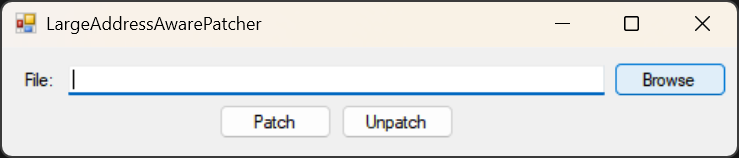
- Navigate to your PlayOnline folder, by default this is
C:\Program Files (x86)\PlayOnline\SquareEnix\PlayOnlineViewer, click onpol.exewithin the folder and then clickPatch.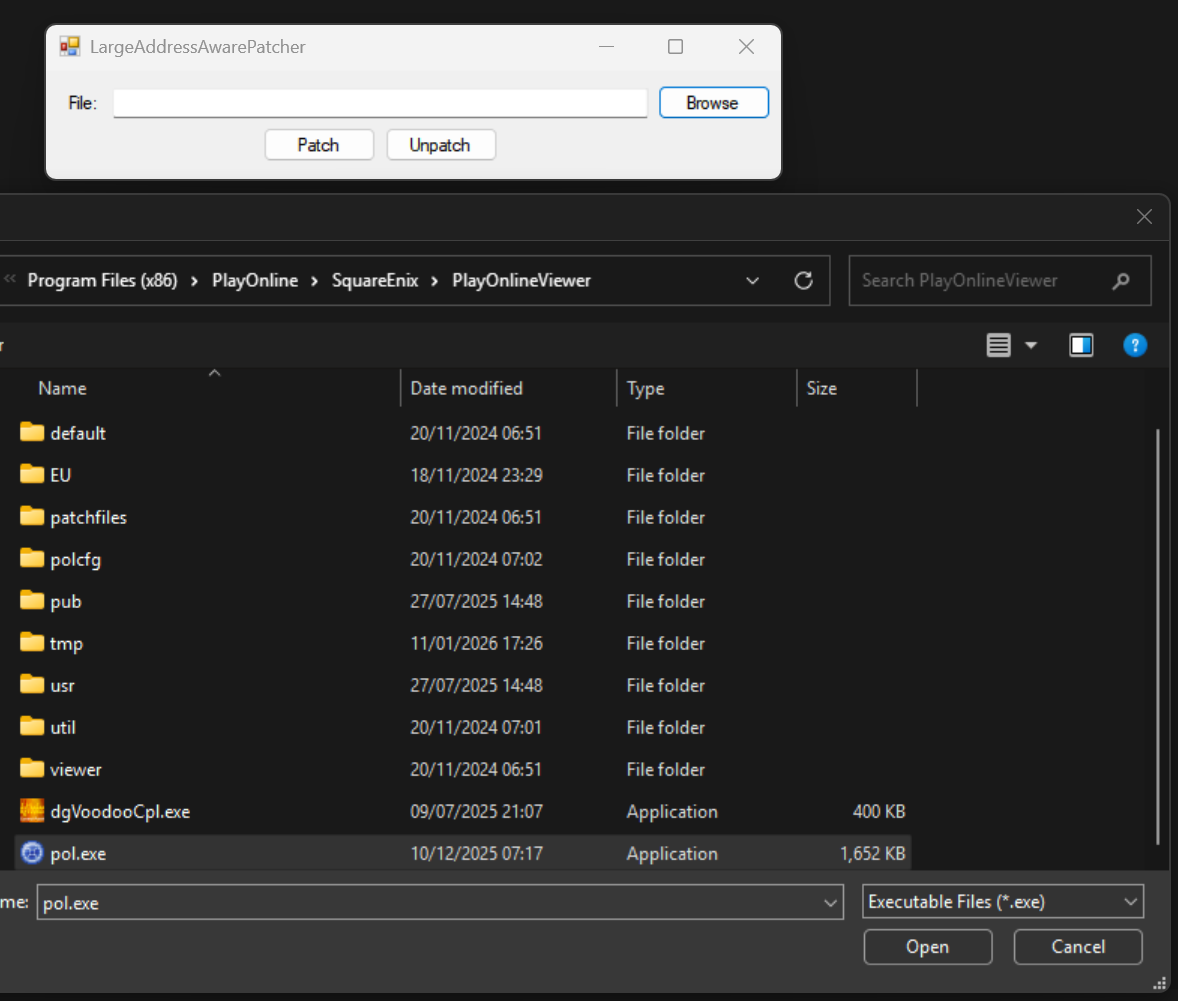
- It should say “Patch succeeded!”. If it doesn’t, make sure you ran the patcher as admin and that the game is not currently open.
- You’re done!
You’ll need to do this again any time the game’s .exe is updated, which is most monthly patches.