Black screen PlayOnline issue when launching FFXI
Author: Arieh @ Bahamut
This is specifically for copies of FFXI which are managed via Lutris. Similar steps can be followed on Windows, but you can just open regedit and start at step 3 instead.
- Open Lutris.
- Select your FFXI game and next to the wine icon, click on the arrow and then select the option
Wine registry.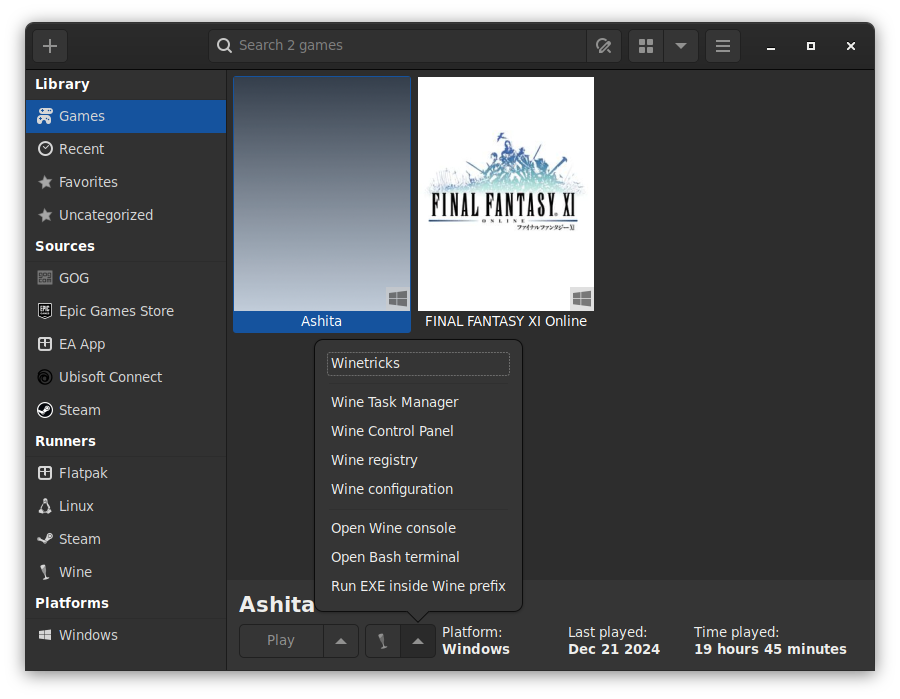
- A registry editor will open, follow the directory tree to the following path:
Computer\HKEY_LOCAL_MACHINE\SOFTWARE\WOW6432Node\PlayOnlineUS\SquareEnix\PlayOnlineViewer\Settingsa. It is ok if it is PlayOnlineEU or PlayOnlineJP as well. The only difference this refers to is the regional version of the PlayOnline and FFXI itself.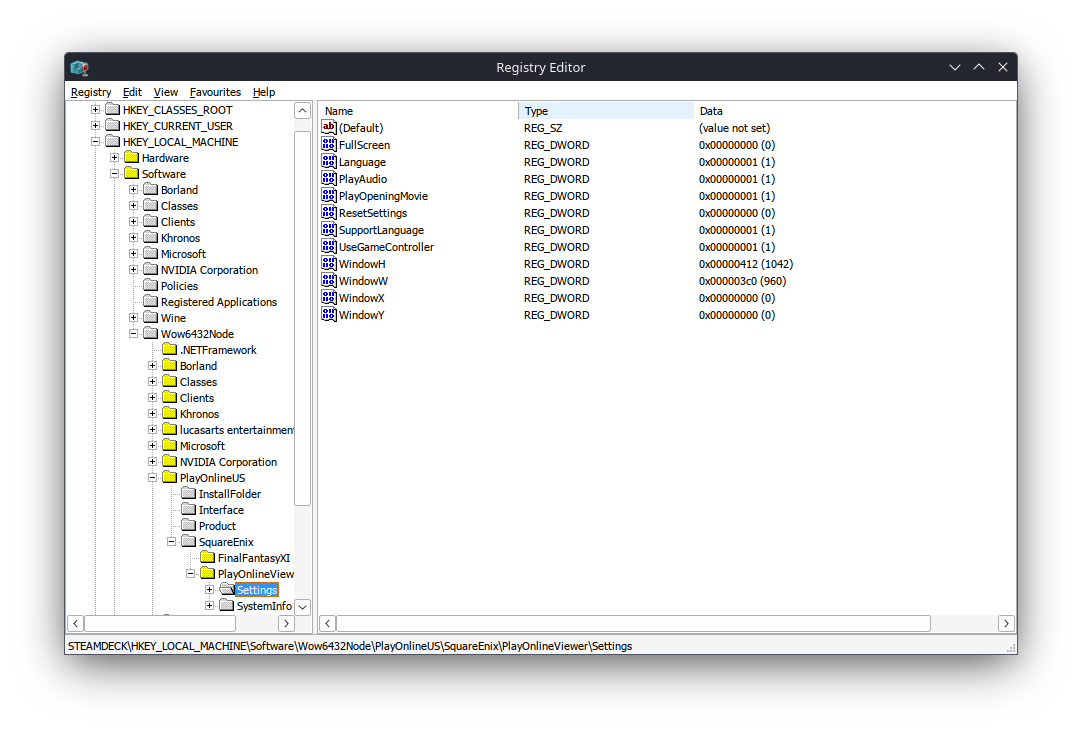
- Right click on the value and click modify a. In order to write the values as human-readable nubmers, you can change the base from hexadecimal to decimal as shown in the below images.
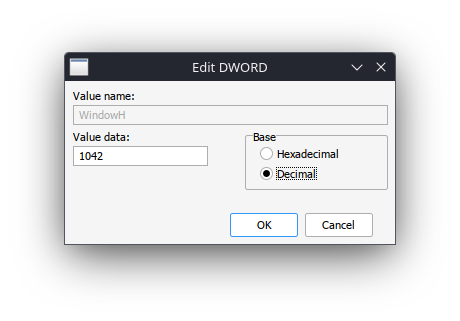
- Change the following registry values to the corresponding decimal values: a. WindowX to 0 b. WindowY to 0 c. WindowW to 640 d. WindowH to 480 e. As an additional note, you can make the WindowW and WindowH values larger, but if they go above the resolution of the screen you are using, they will no longer be visible when you launch. Also it is best to keep the resolution to a 4:3 (width to height) ratio.
- Click ok, close all of the windows and then try opening ffxi again
Fun fact: This was originally titled so playonline has disappeared into the aether of fucking narina.